$239.99
Amazon Rating
[Triple-Display Setup] – The Smartlinx SL-S10 adds two 15.6″ screens to your laptop for a triple-display setup with three screens total. The extender clips onto the laptop lid and folds flat for travel. Each screen runs separate applications. So you multitask across spreadsheets, documents and video calls at the same time.
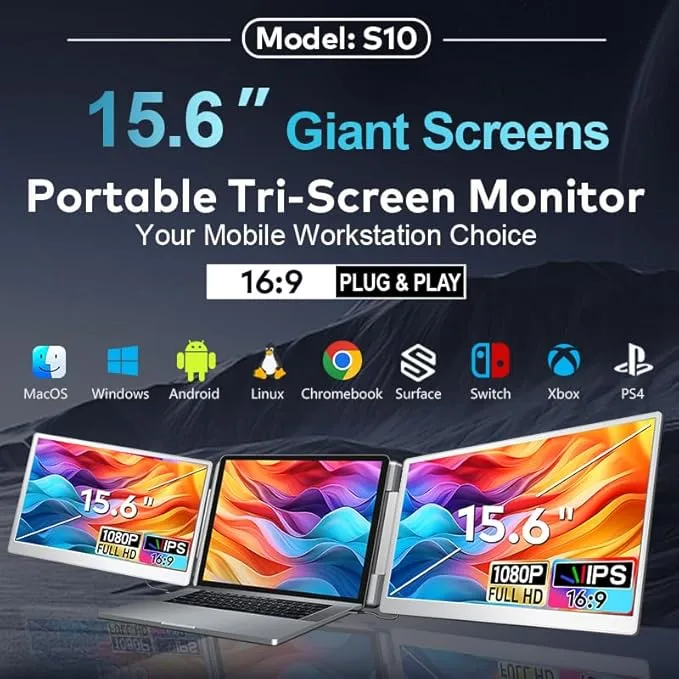
[Cross-Platform Compatibility] – The SL-S10 works with 12″–17.3″ laptops running Windows, ChromeOS, Android, Linux, Samsung DeX and macOS (Pro and Max chips). It also connects to PS4, PS5, Nintendo Switch and Android phones with USB-C video output. Built for remote work, gaming, coding, trading, and multitasking. (Note: Base MacBook Air M1/M2/M3 chips may require a dedicated cable — contact support to confirm.)
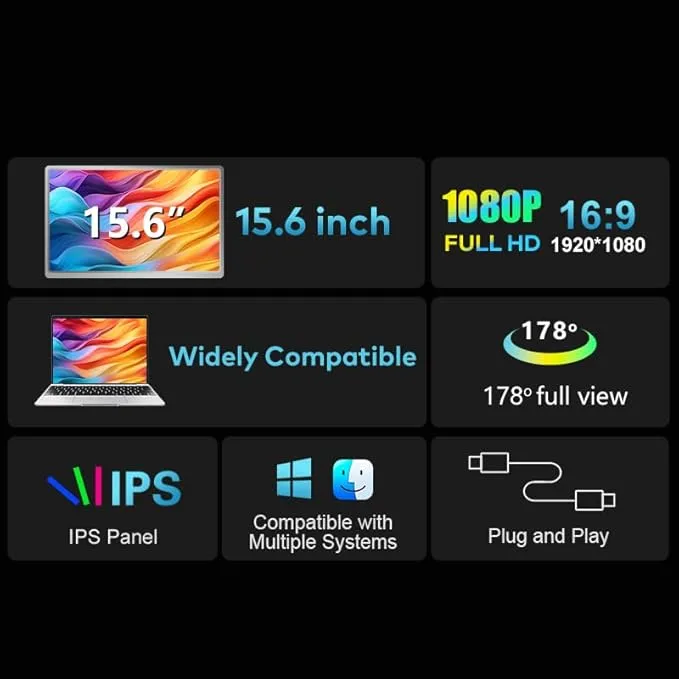
[15.6″ 1080P FHD Display] – Each of the two 15.6″ IPS screens displays 1920×1080 FHD resolution at 250 nits with a 178° viewing angle. Eye-friendly technology including low blue light, anti-glare matte coating and flicker free viewing reduces strain during long hours of work, gaming, or streaming. Adjust brightness and volume using the built-in side controls.
──────────────────────────────────────────────────────────
① For volume orders or business inquiries contact info@smartlinx.pro
On orders over $50.
Returns within 30 days.
With Shop Pay, for US residents.
The Smartlinx SL-S10 adds two 15.6″ 1080P FHD screens to a laptop for a portable triple-display workstation at an affordable price. Built for professionals, students and multitaskers. The SL-S10 delivers sharp visuals, flexible viewing angles and plug-and-play connectivity for an enhanced working experience.
The SL-S10 expands a laptop into a three-screen setup with two added 15.6″ displays. Multi-monitor setups increase productivity by 42%, according to Jon Peddie Research. The layout suits multitasking, presentations, coding, trading, and content creation.
Each of the two screens delivers 1920×1080 FHD resolution on a 16:9 IPS panel at 250 nits. The displays produce sharp images and accurate colors for daily tasks and entertainment. Low blue light, anti-glare matte coating and flicker free technology reduce eye strain.
The SL-S10 runs at a 60Hz refresh rate which suits productivity, strategy games and simulators. Fast-paced competitive games perform better on dedicated high-refresh monitors.
The SL-S10 connects through USB-C or HDMI without driver installation. Connect one USB-C cable to a full-featured port for both screens or use HDMI plus USB-A if the USB-C port supplies power only. Most setups work within seconds.
At 2.1 lbs per side the foldable structure makes the SL-S10 easy to carry in a laptop bag. The included carry bag protects both screens in transit, which suits remote work, business travel and mobile workstations.
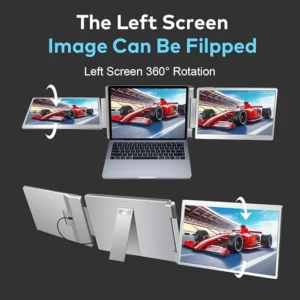
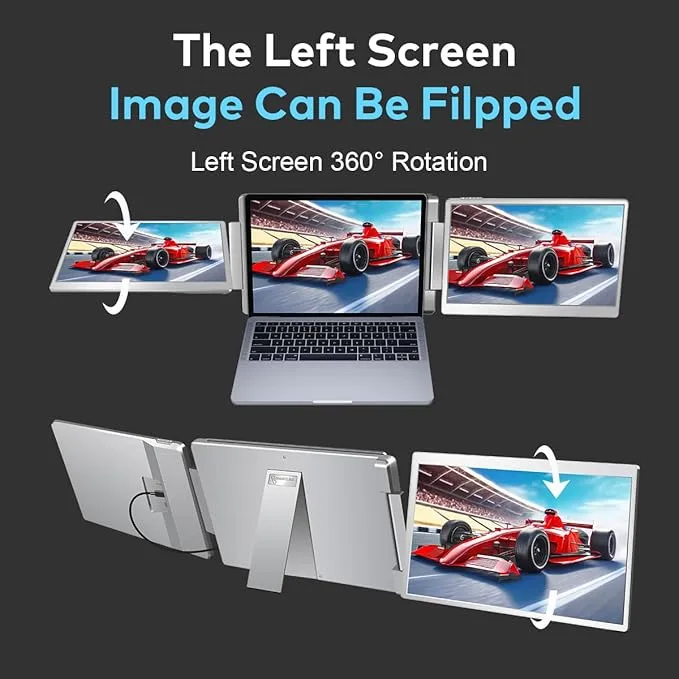
Each of the two screens rotates 235° horizontally, 90° vertically and pivots 0–180°. The rotation range supports portrait orientation for code, landscape for spreadsheets, screen-sharing in meetings and stacked viewing for privacy.
The SL-S10 connects to devices with compatible USB-C or HDMI video output, including Android phones with Samsung DeX and gaming consoles such as PS4, PS5, and Nintendo Switch.
──────────────────────────────────────────────────────────
| Specification | Value |
| Model | SL-S10 |
| Configuration | Two 15.6″ add-on screens (triple-display total with laptop) |
| Screen Size | 15.6 inches per screen |
| Number of Screens | 2 (clip onto laptop) |
| Resolution | 1080P FHD (1920×1080) per screen |
| Display Type | IPS Panel |
| Aspect Ratio | 16:9 |
| Brightness | 250 nits |
| Refresh Rate | 60Hz |
| Viewing Angle | 178° |
| Connectivity Ports | 2× USB-C, 1× HDMI, 1× USB-A (for power when needed) |
| Compatible Laptop Size | 12″ to 17.3″ laptops |
| Display Modes | Extended, Mirror, Split-Screen |
| Rotation | 235° horizontal, 90° vertical, 0–180° screen pivot |
| Weight | Approx. 2.1 lbs per side |
| Surface Type | Matte (anti-glare) finish |
| Eye Comfort | Low blue light, anti-glare, flicker-free |
| Device Support | Laptops, Android (DeX), PS4, PS5, Nintendo Switch |
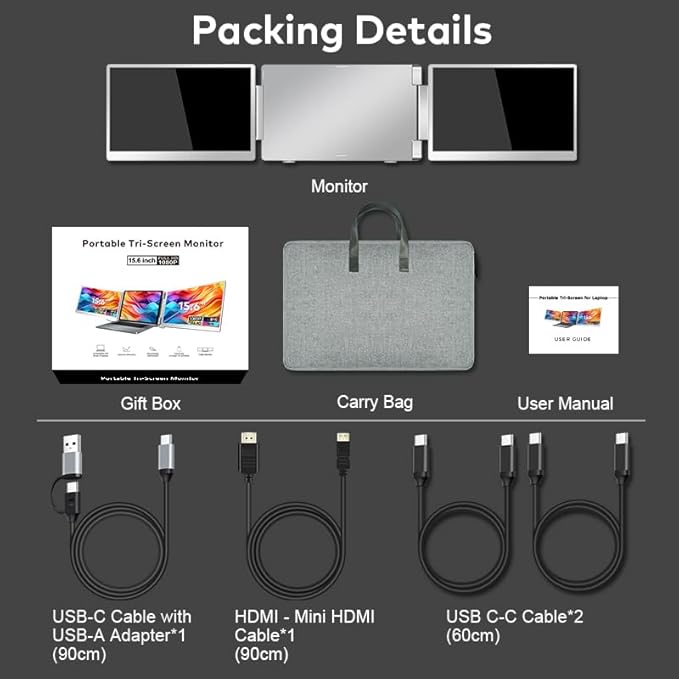
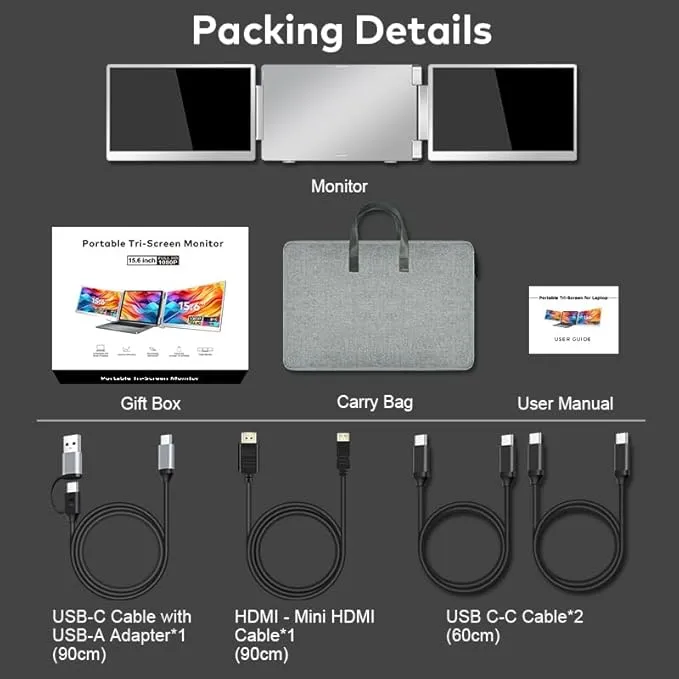
| In the Box | 2× USB-C to USB-C, 1× HDMI, 1× USB-C to USB-A, carry bag, user manual |
| Price | $239.99 |
──────────────────────────────────────────────────────────
The Smartlinx SL-S10 works with a wide range of devices and operating systems.
Supported operating systems: Windows, macOS (Pro and Max chips), ChromeOS, Android, Linux and Samsung DeX.
Compatible with laptops that support a USB-C port with video output (DisplayPort Alt Mode) OR an HDMI port with USB-A for power. Supports laptops ranging from 12 inches to 17.3 inches in screen size.
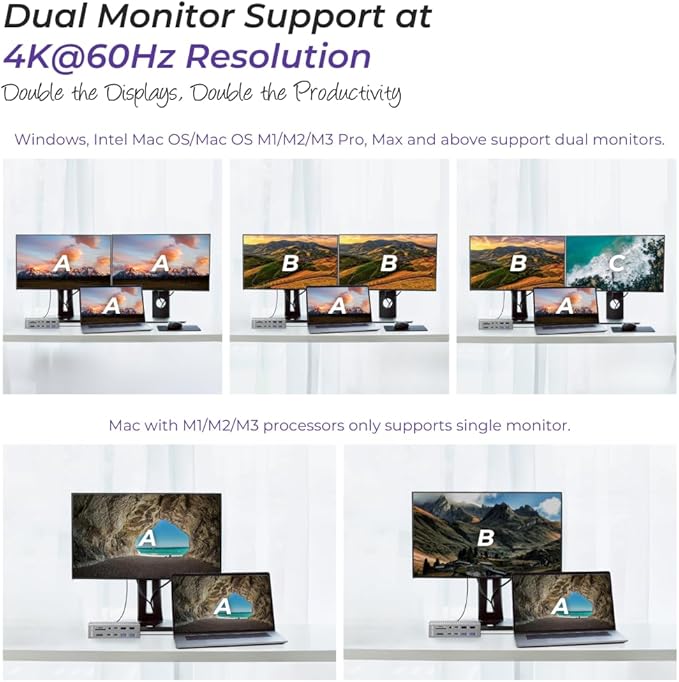
The SL-S10 works with MacBook Pro and Mac models on Pro and Max chips. It does not work with MacBook Air on base M1, M2, or M3 chips, which limit native external display output. To confirm compatibility, check that your Mac uses a Pro or Max chip and has a video-capable USB-C port.
The SL-S10 is NOT compatible with MacBook Air M1/M2/M3 base chips, MacBook Pro 2012 and earlier, or MacBook Air 2017 and earlier. Some laptops supply power only through USB-C. If you see No Signal, connect the HDMI cable to provide video output and use USB-A for power.
──────────────────────────────────────────────────────────
Set up the SL-S10 in 3 steps: clip the screens onto the laptop lid, connect the USB-C or HDMI cable, then enable Extended mode in display settings. No driver installation is required. Setup takes under 60 seconds.
Step 1: Clip both screens onto the top edge of the laptop lid.
Step 2: Connect the USB-C cable to a video-capable port or use HDMI plus USB-A if the USB-C port supplies power only.
Step 3: Enable Extended mode. On Windows, press Windows + P and select Extend. On macOS, open System Settings, then Displays and arrange the screens.
──────────────────────────────────────────────────────────
Both Smartlinx screen extenders create a triple-display setup. The difference is resolution, color, and price.
| Feature | SL-S10 | SL-S5 |
| Screen size | 15.6″ | 16″ |
| Resolution | 1080P FHD (1920×1080) | 2.5K QHD (2560×1600) |
| Brightness | 250 nits | 300 nits |
| Color gamut | Standard | 100% sRGB |
| Price | $239.99 | $324.99 |
| Best for | Budget triple-screen work | Color-accurate, higher-resolution work |
────────────────────────────────────────────────────────
The SL-S10 includes two 15.6″ portable screens that attach to your laptop. Together with the laptop’s own screen, the SL-S10 creates a triple-display setup with three screens total.
The SL-S10 is a triple-display extender. It adds two 15.6″ screens to your laptop and those two screens plus your laptop screen create three displays total. The term “dual” refers to the two add-on screens; “triple” refers to the complete three-screen setup.
No driver installation is required for standard use. The SL-S10 works plug-and-play on Windows, ChromeOS, Android, Linux, Samsung DeX and macOS (Pro and Max chips). Some laptops need an HDMI connection if the USB-C port supplies power only.
Yes. The SL-S10 works with Windows, ChromeOS, Android, Linux, Samsung DeX and macOS on Pro and Max chips. Base MacBook Air M1/M2/M3 chips may require a dedicated cable contact support to confirm compatibility for your model.
You can connect using USB-C with video output or HDMI with USB-A for power if needed. The box includes 2 USB-C to USB-C cables, 1 HDMI cable and 1 USB-C to USB-A cable.
The SL-S10 draws power from the laptop with minimal impact during typical use. For extended sessions connect an external power source through the USB-C PD port to maintain battery life.
The SL-S10 runs at 60Hz which suits strategy games, simulators and productivity. For competitive fast-paced titles that need 120Hz or higher a dedicated high refresh monitor performs better. The triple screen layout widens the field of view for racing and strategy games.
──────────────────────────────────────────────────────────
Every Smartlinx product is designed to expand your workspace. Smartinx simplify your setup and support focused work — at the office, at home or in transit.