$324.99
Amazon Rating
[Cross-Platform Compatibility] – The Smartlinx SL-S5 dual-screen portable laptop monitor works with 12″–17″ laptops running Windows, ChromeOS, Android, Linux, Samsung DeX and macOS (Pro and Max chips). Built for remote work, gaming, coding, trading and multitasking. Refer to the user manual for setup instructions or contact our support team for assistance. (Note: Not compatible with MacBook Air M1/M2/M3 chips, MacBook Pro 2012 and earlier or MacBook Air 2017 and earlier.)
[Boost Productivity by 3X] – Transform your setup into a portable triple-screen extender with two extra 16″ displays. This portable screen for laptop lets you multitask across spreadsheets, design tools and meetings simultaneously boosting efficiency by 300%. The laptop monitor extender supports mirror, presentation and split-screen modes. Lightweight and built for work, business travel and offices.
[Stunning 2.5K QHD Display] – Experience crystal-clear visuals with dual 16″ 2.5K QHD IPS screens featuring 2560×1600 resolution, 300 nits brightness, 100% sRGB color and a wide viewing angle. Enjoy sharper, more detailed visuals with eye-friendly technology including low blue light, anti-glare matte coating and flicker-free viewing. It is built for long hours of work, gaming or streaming. Adjust brightness and volume using the built-in side controls.
① For volume orders or business inquiries contact info@smartlinx.pro
On orders over $50.
Returns within 30 days.
With Shop Pay, for US residents.
Transform your laptop into a portable triple screen monitor with the Smartlinx SL-S5 16″ 2.5K QHD triple screen extender laptop gaming. Built for professionals, students and multitaskers. This portable screen extender delivers crystal-clear 2.5K visuals, flexible viewing angles and plug-and-play connectivity for an enhanced working experience.
Expand your laptop into a three screen setup and run multiple applications simultaneously. Built for multitasking, presentations, coding, trading and content creation across two extra 16″ displays.
Each screen delivers 2560×1600 resolution on a 16:10 IPS panel with 300 nits brightness and 100% sRGB color. The display produces sharp images, accurate colors, and smooth viewing for daily tasks and entertainment.
Connect through USB-C or HDMI without complicated installation. Most setups work instantly, allowing you to start within seconds. No driver installation is required for standard use.
At 2.1 lbs per side, the foldable structure makes the SL-S5 easy to carry in a laptop bag. It is built for remote work, business travel and mobile workstations. The included carry bag protects the screens in transit.
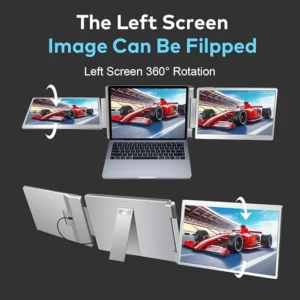
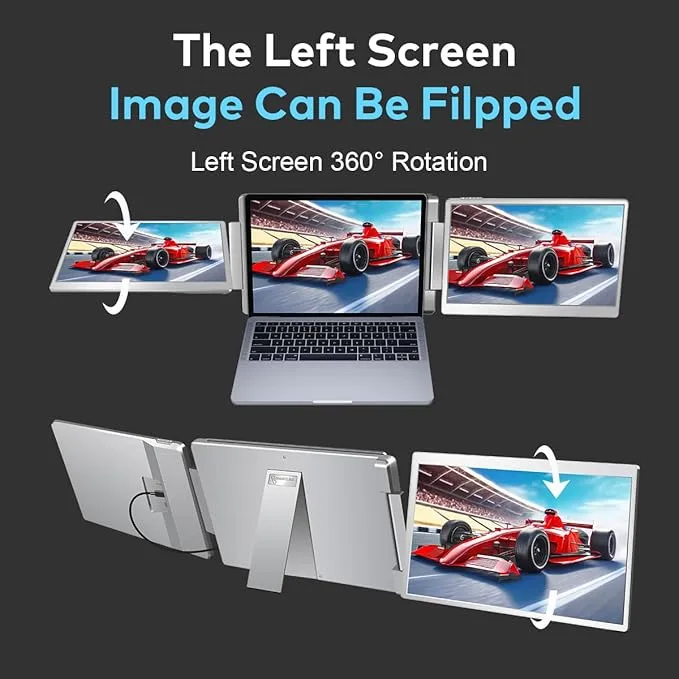
Flexible 235° horizontal rotation and 0–180° screen pivot allow you to position the screens for comfortable viewing, reduced neck strain and improved posture. Stack, share, or angle the screens for privacy.
The SL-S5 supports 12″–17″ laptops across Windows, ChromeOS, Android, Linux, Samsung DeX and macOS (Pro and Max chips). As a triple laptop screen extender for macbook pro, laptop gaming, multitasking and content creation, the SL-S5 works across different devices and platforms. ──────────────────────────────────────────────────────────
| Specification | Value |
| Model | SL-S5 |
| Screen Size | 16 inches per screen |
| Resolution | 2.5K QHD (2560×1600) |
| Display Type | IPS Panel |
| Aspect Ratio | 16:10 |
| Brightness | 300 nits |
| Color Gamut | 100% sRGB |
| Viewing Angle | Wide (up to 178°) |
| Connectivity Ports | 2× USB-C, 1× HDMI, 1× USB-A (for power when needed) |
| Compatible Laptop Size | 12″ to 17″ laptops |
| Display Modes | Extended Mode, Mirror Mode, Split-Screen Mode |
| Rotation | 235° horizontal, 0–180° screen pivot |
| Weight | Approx. 2.1 lbs per side |
| Surface Type | Matte (anti-glare) finish |
| Eye Comfort | Low blue light, anti-glare, flicker-free |
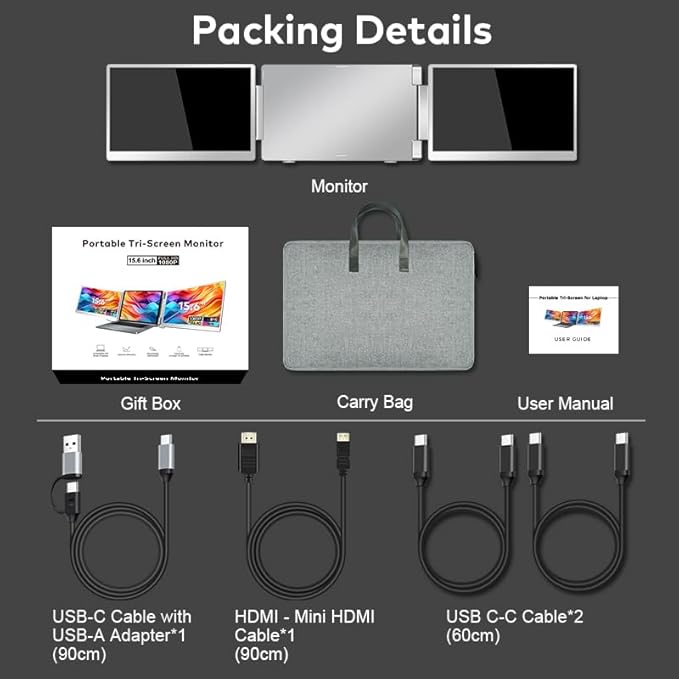
| In the Box | 2× USB-C to USB-C, 1× HDMI, 1× USB-C to USB-A, carry bag |
| Usage | Business, multitasking, gaming, presentations, remote work |
| Price | $324.99 |
──────────────────────────────────────────────────────────
The Smartlinx SL-S5 Screen Extender works with a wide range of devices and operating systems.
Supported operating systems: Windows, macOS (Pro and Max chips), ChromeOS, Android, Linux and Samsung DeX.
Compatible with laptops that support a USB-C port with video output (DisplayPort Alt Mode), OR an HDMI port with USB-A for power. Supports laptops ranging from 12 inches to 17 inches in screen size.
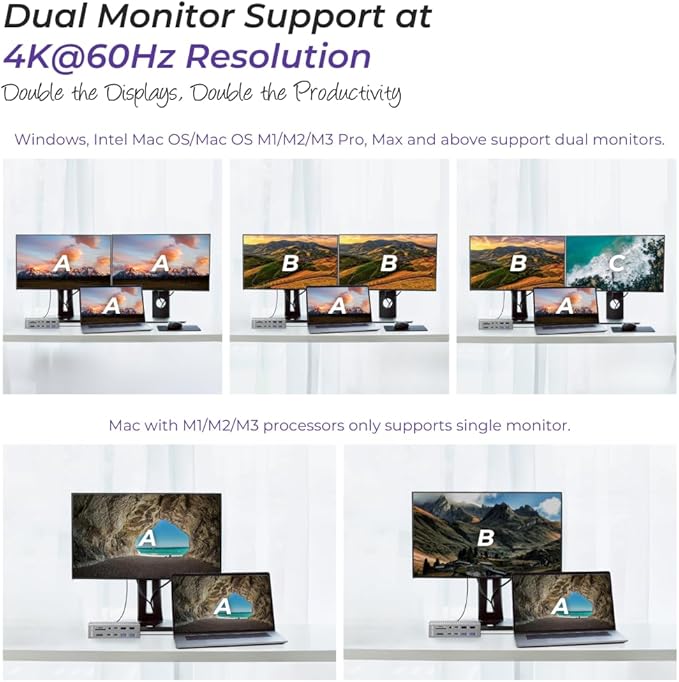
The SL-S5 is NOT compatible with MacBook Air M1, M2, or M3 chips, MacBook Pro 2012 and earlier, or MacBook Air 2017 and earlier. Some laptops may require an HDMI connection if the USB-C port supplies power only. If you see No Signal connect the HDMI cable to provide video output.
──────────────────────────────────────────────────────────
No driver installation is required for standard use. The SL-S5 works plug-and-play on Windows, ChromeOS, Android, Linux, Samsung DeX and macOS (Pro and Max chips). Some laptops may need an HDMI connection if the USB-C port supplies power only.
Yes. The Smartlinx SL-S5 works with Windows, ChromeOS, Android, Linux, Samsung DeX and macOS on Pro and Max chips. It is not compatible with MacBook Air M1/M2/M3 chips, MacBook Pro 2012 and earlier or MacBook Air 2017 and earlier.
The SL-S5 supports laptops ranging from 12 inches to 17 inches in screen size.
Yes. At 2.1 lbs per side with a foldable design and included carry bag, the SL-S5 is built for remote work, travel and mobile setups. It folds flat against the laptop lid for transport.
You can connect using USB-C (with video output) or HDMI with USB-A for power if needed. The box includes 2 USB-C to USB-C cables, 1 HDMI cable and 1 USB-C to USB-A cable.
The SL-S5 has two 16-inch screens, each displaying 2.5K QHD resolution (2560×1600) on a 16:10 IPS panel with 300 nits brightness and 100% sRGB color.
Connect a triple screen laptop extender in 4 steps: clip the extender onto the laptop lid, plug the USB-C cable into a video-capable port, connect the second screen if required, then enable Extended mode in system settings. The Smartlinx SL-S5 needs no drivers and connects in under 60 seconds.
The SL-S5 suits strategy games, simulators and productivity-focused gaming at 60Hz. For competitive fast-paced titles requiring 120Hz or higher a high-refresh monitor performs better. The triple screen layout expands field of view for racing and strategy games.
The SL-S5 draws power from the laptop, with minimal impact during typical use. For extended sessions, connect an external power source through the USB-C PD port to maintain battery life.
The SL-S5 works with MacBook Air on M-series Pro and Max chips. It does not support MacBook Air with base M1, M2 or M3 chips, which limit native external display output. MacBook Pro with Pro and Max chips supports the full triple-screen setup.
──────────────────────────────────────────────────────────
Every Smartlinx product is designed to expand your workspace. Smartinx simplify your setup and support focused work — at the office, at home or in transit.